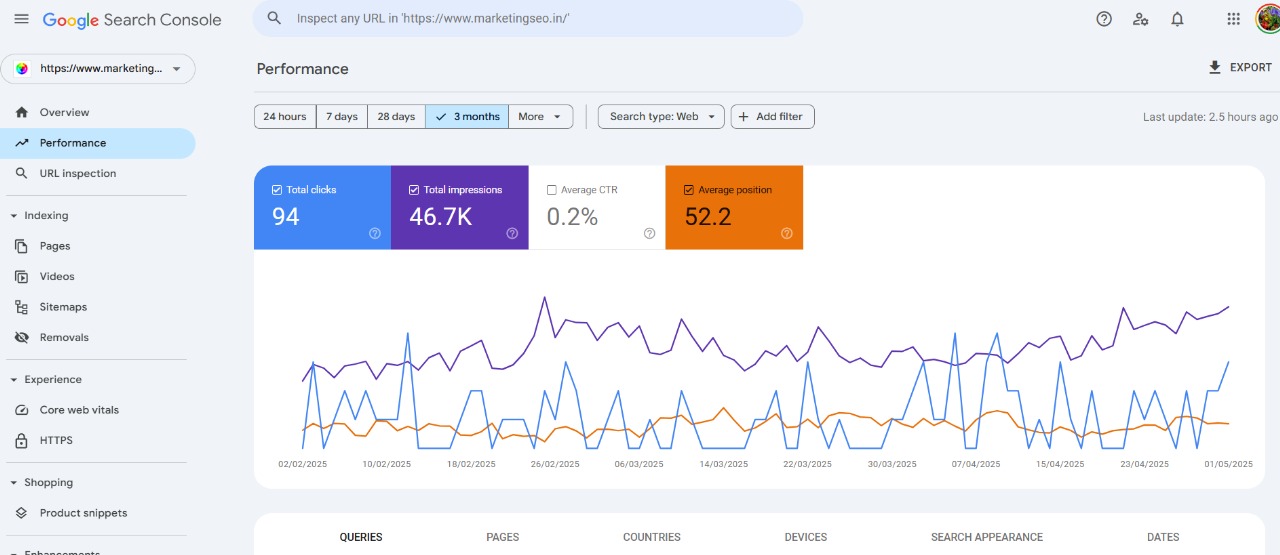
Introduction: Why GSC is a Core Tool for SEO?
SEO is no longer about guesswork or simply stuffing keywords into content. Google’s algorithms prioritize performance, usability, and content relevance. To meet these criteria, marketers and webmasters need data-backed insights. That’s where Google Search Console comes in.
It tells you how Google sees your site. It shows where you’re winning. It identifies where you’re struggling. It indicates where you need to take action. When used correctly, GSC forms the technical and strategic backbone of your SEO efforts.
Performance Tab: Benchmarking and Content Strategy
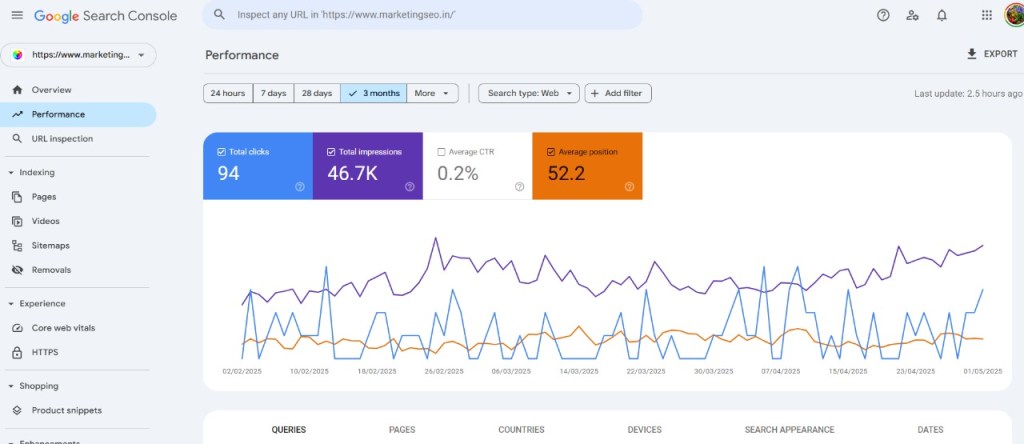
The Performance tab in GSC gives a comprehensive view of how your pages and keywords are performing in search:
- Total Clicks: How many users landed on your site via organic search.
- Impressions: How often your pages appeared in search results.
- Click-Through Rate (CTR): Percentage of impressions that turned into clicks.
- Average Position: The average ranking position of your URLs.
Strategy Building Tips:
- Identify high-impression, low-CTR queries. Improve their meta titles and descriptions to increase click rates.
- Spot queries with high CTR and low impressions. These indicate untapped opportunities — consider expanding your content on these topics.
- Use average position to track whether your optimization efforts are improving visibility over time.
Coverage Report: Ensuring Search Visibility
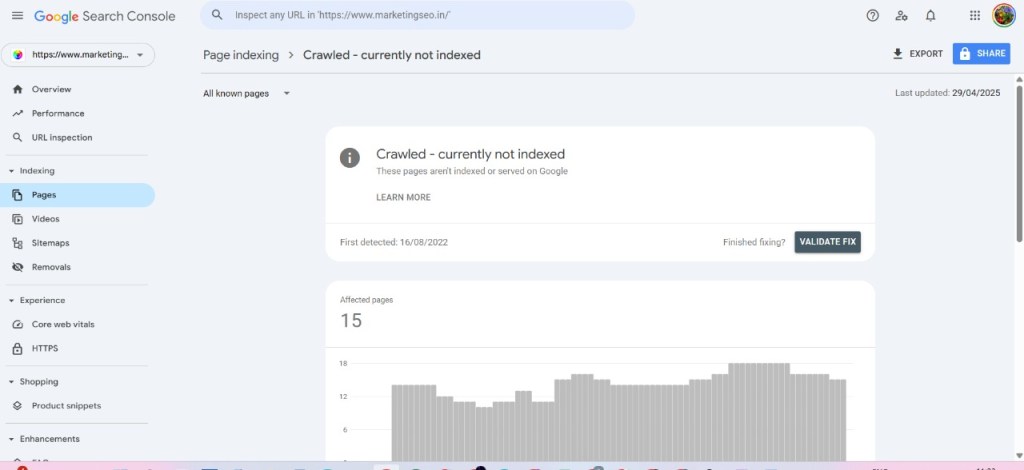
The Coverage or now known as Indexing section highlights how many pages Google has crawled and indexed. It also shows how many pages are excluded or have errors. This includes:
- Valid pages
- Pages with warnings
- Excluded pages
- Pages with critical crawl errors
Common Issues:
- 404 Errors (Not Found)
- Server Errors (5xx)
- Blocked by Robots.txt
- Duplicate Content
Strategy Building Tips:
- Regularly monitor for new crawl issues.
- Use the “Validate Fix” button after resolving technical problems.
- Ensure your sitemap reflects all important URLs, and resubmit it when you add new content.
Core Web Vitals: Enhancing UX as a Ranking Signal
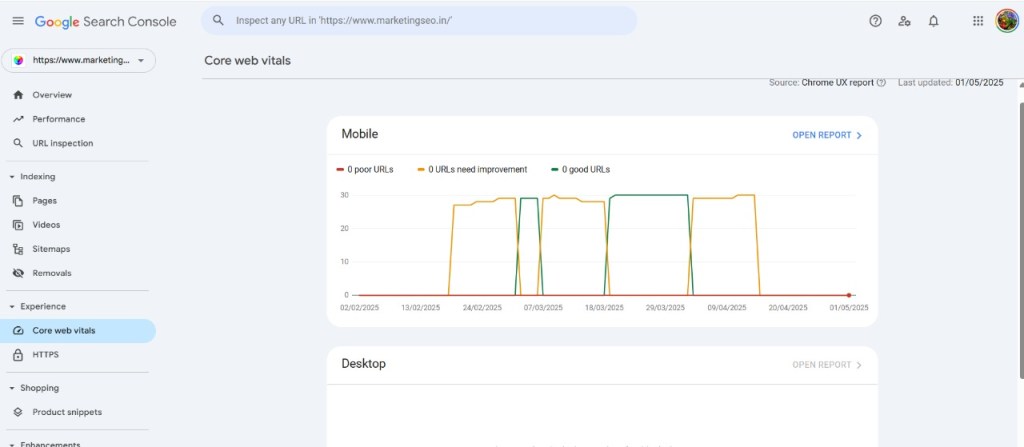
Google has rolled out Core Web Vitals as a ranking factor. These vitals measure:
- LCP (Largest Contentful Paint): Loading speed of the main content.
- FID (First Input Delay): Time before a user can interact with your page.
- CLS (Cumulative Layout Shift): Visual stability while the page loads.
Strategy Building Tips:
- Identify URLs flagged as “Poor” or “Needs Improvement.”
- Work with developers to optimize images, remove render-blocking resources, and reduce server response times.
- Use the data to prioritize fixes for high-traffic pages first.
Mobile Usability: Prioritizing Mobile SEO
More than 60% of traffic comes from mobile devices. Google indexes mobile versions of websites first. GSC’s Mobile Usability report flags:
- Text too small
- Touch elements too close
- Content wider than screen
Strategy Building Tips:
- Adopt a responsive design.
- Prioritize mobile speed.
- Use GSC to spot patterns — if many pages have the same issue, it’s likely a template flaw that needs immediate correction.
URL Inspection Tool: On-Demand Technical Diagnosis
Want to check why a specific page isn’t indexed or why it’s performing poorly?
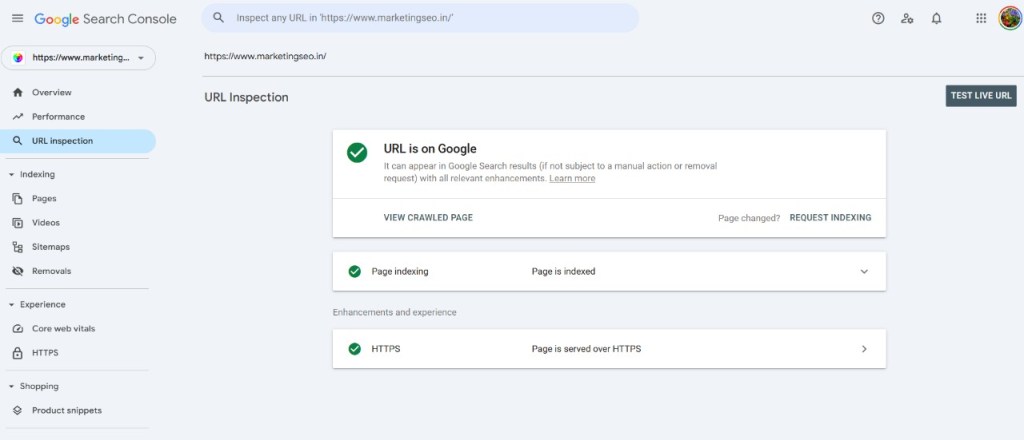
With the URL Inspection Tool, you can check:
- If the URL is indexed
- Canonical status
- Crawl status
- Enhancements like schema or mobile usability
Strategy Building Tips:
- Use this after publishing new pages or making SEO updates.
- Test competitor pages (when verified) to understand differences in treatment.
- Request re-indexing after fixing issues.
Enhancements: Power of Structured Data
Structured data or schema markup enables your site to qualify for rich results in search. These results can include star ratings, FAQ dropdowns, or product information.
In GSC’s Enhancements tab, you’ll see:
- Detected schema types (e.g., Article, Product, FAQ)
- Valid vs. invalid structured data
- Errors and warnings for each schema type
Strategy Building Tips:
- Implement rich snippets on all eligible content types.
- Fix schema errors to maintain eligibility for rich features.
- Use structured data testing tools along with GSC for accuracy.
Links Report: Internal and External SEO Signals
The Links tab breaks down:
- Top linked pages externally
- Top referring domains
- Most linked internal pages
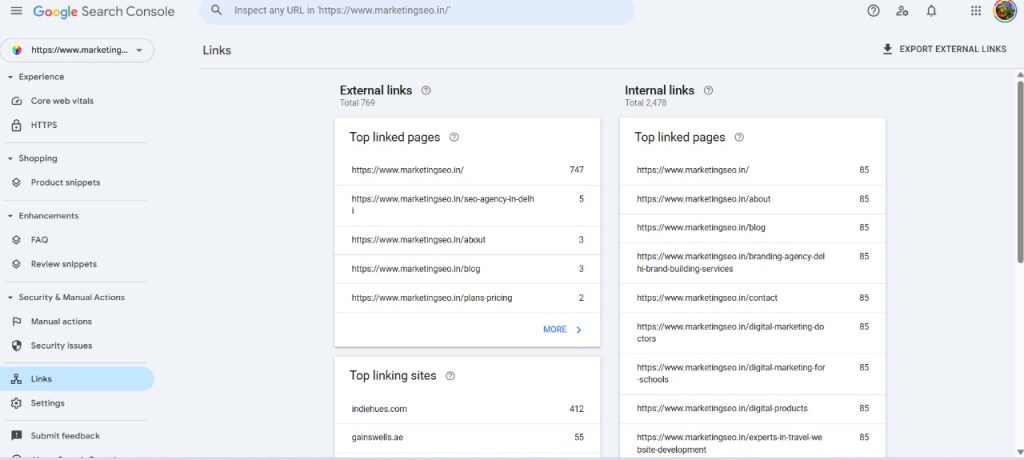
Strategy Building Tips:
- Use it to identify your most “linkable” content (build similar content).
- Ensure even distribution of internal links — don’t let valuable pages be isolated.
- Disavow low-quality or spammy external links if needed.
Manual Actions and Security Issues
A site that violates Google’s Webmaster Guidelines may receive a manual action — a form of penalty that removes it from search or lowers its ranking.
GSC notifies you if:
- You’ve been penalized.
- There’s malware or spam on your site.
- There are phishing or hacked content risks.
Strategy Building Tips:
- Set up email alerts for any issues.
- Perform security audits regularly.
- Remove toxic or spammy backlinks, and use the Disavow Tool if needed.
Ongoing Monitoring and Strategy Refinement
SEO isn’t a one-time activity. GSC supports continuous improvement by providing fresh data every day.
Strategy Building Tips:
- Set monthly benchmarks (clicks, impressions, average position).
- Perform quarterly SEO audits using GSC data.
- Integrate GSC insights with Google Analytics and keyword tools like SEMrush or Ahrefs for full-spectrum SEO analysis.
Conclusion:
Google Search Console is not just a technical tool — it’s a strategic weapon. Understand how Google sees your site. Use that insight to guide content, UX, and technical improvements. This approach enables you to create a long-term SEO roadmap rooted in data, not guesswork. Integrate GSC into your regular SEO workflow to stay ahead of competitors and on top of Google’s ever-evolving ranking signals.
FAQs
Q1. What is Google Search Console used for in SEO?
Google Search Console provides tools to monitor your website’s presence in Google Search results. It offers data on indexing, performance, technical errors, and mobile usability.
Q2. Can I track keyword rankings in Google Search Console?
Yes. GSC’s Performance tab shows which keywords (queries) bring traffic to your site, along with their average position and CTR.
Q3. How does GSC help with content optimization?
By identifying high-impression but low-CTR queries and underperforming pages, GSC guides your content update and creation strategy.
Q4. How often should I review GSC data?
At least once a week for performance tracking, and monthly for in-depth audits.
Q5. Is Google Search Console different from Google Analytics?
Yes. GSC focuses on how your site performs in Google Search. Google Analytics tracks how users interact with your site once they arrive.
 Best Digital Marketing in India